> ## Documentation Index
> Fetch the complete documentation index at: https://docs.heroncopier.com/llms.txt
> Use this file to discover all available pages before exploring further.
# Running Multiple Instances
To run the copier for multiple accounts, you need to set up multiple terminals, each logged into different trading accounts that you would like to use as master or slave accounts.
## MetaTrader 4/5
1. Download the MT4/MT5 terminal from your broker's website.
2. Run the installer.
3. Click on the "Settings" button.
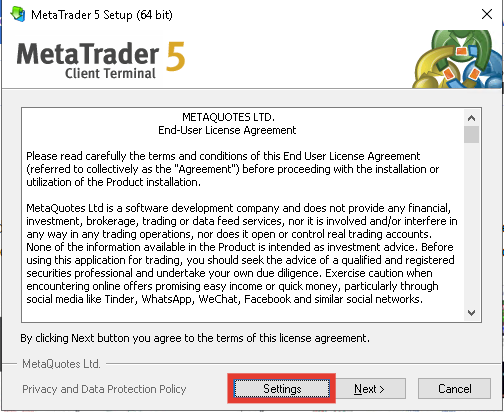 4. Choose a different name for the installation folder (e.g., MT4-1, MT4-2, etc.).
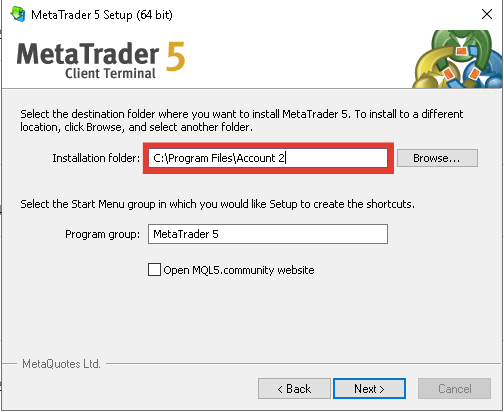 5. Complete the installation process.
6. Your new terminal will be installed in the folder you specified.
## Other platforms
Simply click "Add Account" on the Connector app. A new copier/terminal will launch where you can fill in the credentials for your other accounts.
5. Complete the installation process.
6. Your new terminal will be installed in the folder you specified.
## Other platforms
Simply click "Add Account" on the Connector app. A new copier/terminal will launch where you can fill in the credentials for your other accounts.