
Getting There
Head to dashboard.heroncopier.com, log in with your license key, and click “Journal” in the sidebar.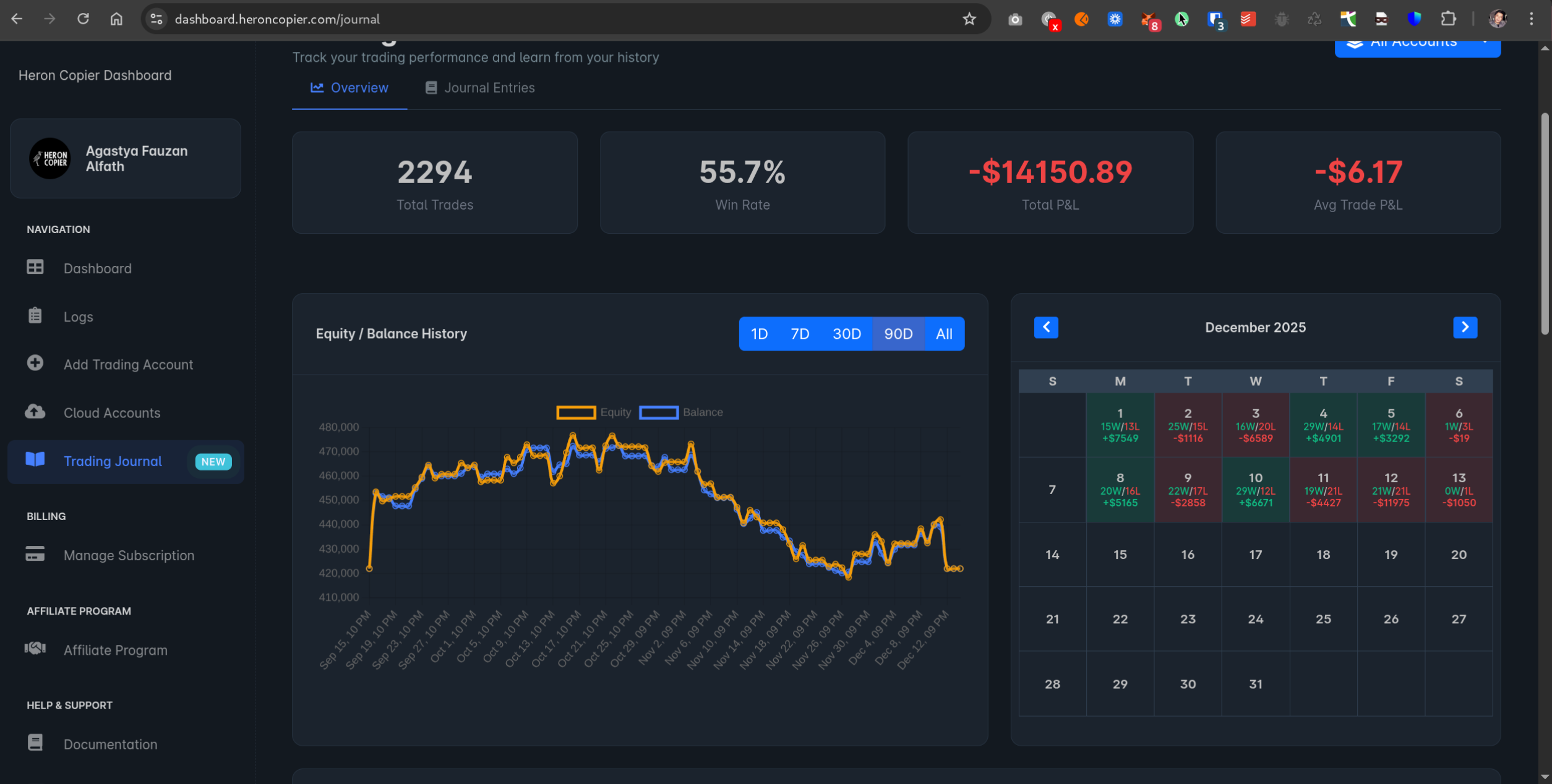
Your Trade History
All your closed trades show up here automatically — no manual entry needed. You’ll see the basics: when you got in, when you got out, what symbol, lot size, and how much you made (or lost). Everything’s pulled from your connected accounts.Adding Notes
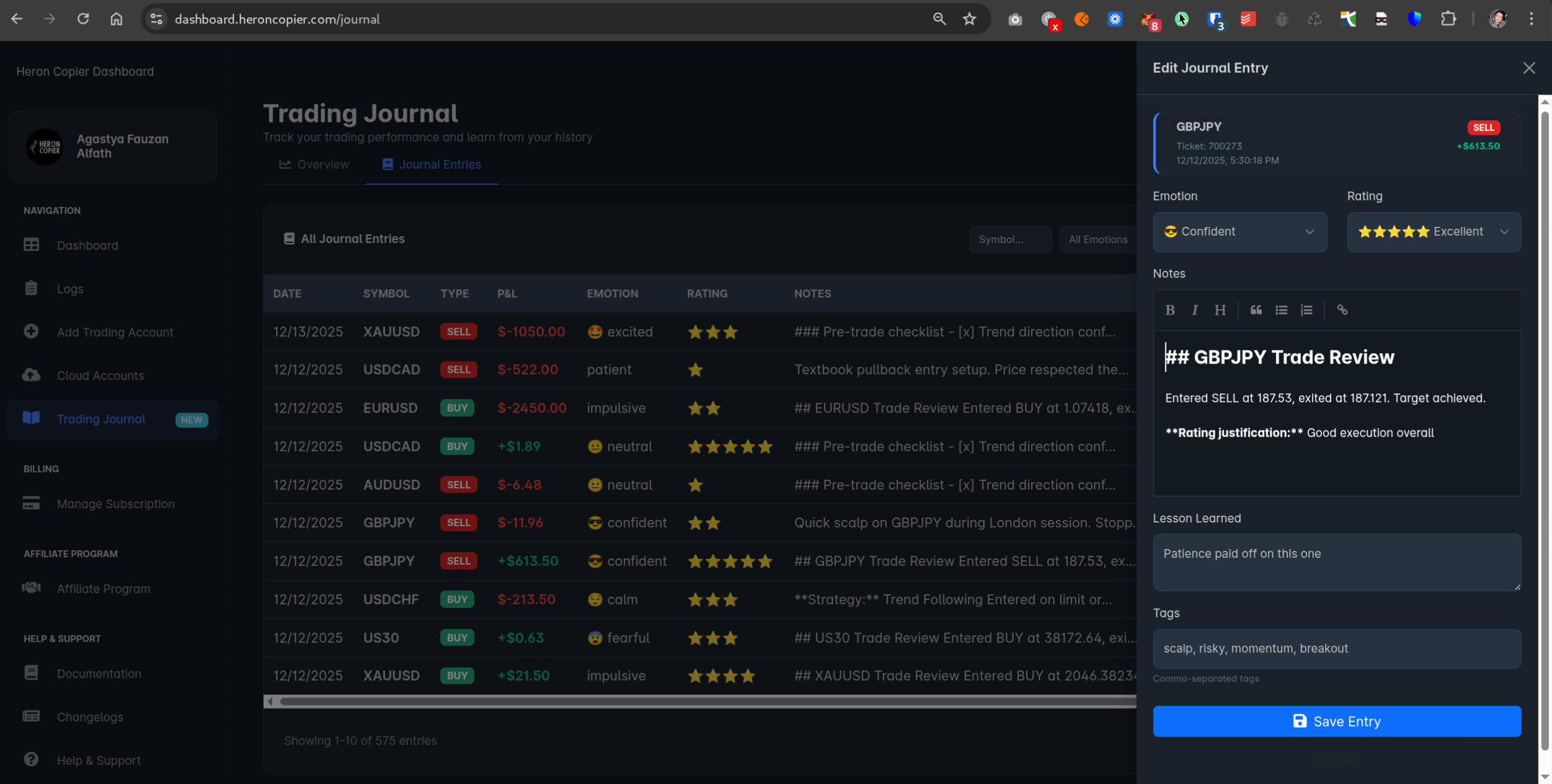
Click on any trade to open it up. This is where things get useful.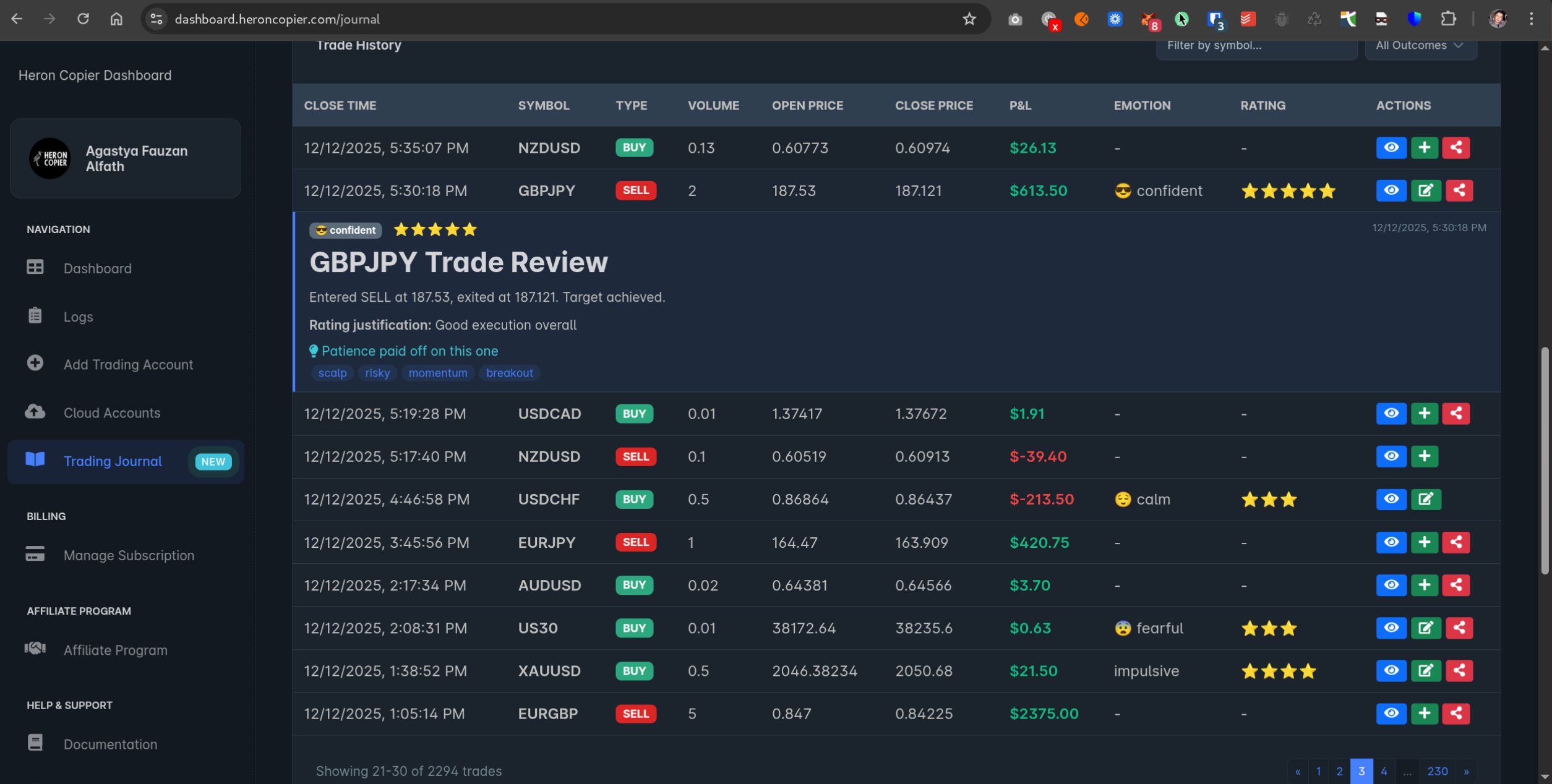
- Why you took the trade in the first place
- What the market looked like at the time
- How you were feeling (tired? overconfident? revenge trading?)
- What you’d do differently next time
Finding Specific Trades
Use the filters to narrow things down:- Date range
- Symbol
- Account
- Winners vs losers
- Or just search for keywords in your notes
Sharing
Making the Most of It
Look, the journal only helps if you actually use it. Here’s what works:- Write something for every trade, even if it’s just “followed my rules” or “FOMO’d in, bad idea”
- Be honest — nobody else has to see this unless you want them to
- Review your entries once a week — patterns become obvious pretty quickly
- Pay attention to your emotions — there’s usually a correlation between how you felt and how the trade went